
A deposit, a declaration, and a box that has to satisfy two customs services
The international leg is the part of the arrangement with the most published rules attached to it, and almost all of them are decisions you make once and cannot revisit.
No rates, no route prices and no tax figures of ours appear here. What the operator publishes is linked at each step so you can read it against your own parcel.
In this guide
- The second payment is a deposit, not a price
- Building a box that reads as personal rather than commercial
- The two declaration modes, and what makes one unreasonable
- The reform that ended the small parcel exemption
- Which routes carry the service, as the operator lists them
- Where the customs risk sits once the box leaves
- When the route list comes back empty
- An older article that still names four couriers
- Four questions asked with a parcel half submitted
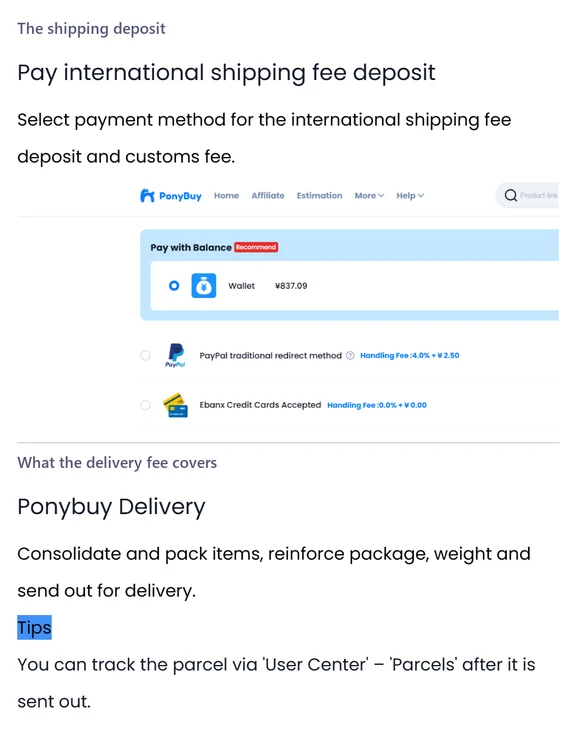
The second payment is a deposit, not a price
The figure you are asked for when you submit a parcel is not what shipping costs. PonyBuy is clear that it is a deposit, calculated from the estimated weight of the items, the shipping method you picked, and where it is going.
The real number arrives later and from somewhere else: the size and weight the shipping company verifies once it has the box. PonyBuy says that where the two disagree, the difference is returned to your PonyBuy account after the parcel has been sent. Worth noticing what that sentence does not describe, which is what happens when the deposit was too low. If you want a weight you can trust before committing, the warehouse will pack and weigh the batch for you as a paid service, which is covered on the warehouse page.
What the payment buys is set out separately and it is a physical list rather than a fee schedule: consolidating the items, packing them, reinforcing the box, weighing it, and handing it over. From the moment it leaves, the parcel appears under Parcels in your account rather than under the order it came from. The deposit article is two short paragraphs and worth the minute.
Building a box that reads as personal rather than commercial
You are free to combine anything on the warehouse page, or to ship in several goes. That freedom is also the one place where a careless choice reliably costs money, because customs services read a parcel by its shape before anyone reads the declaration.
Decide what travels together
The warehouse page estimates weight and volume for whatever selection you have made. That estimate, not a figure from a calculator somewhere else, is the one to plan against.
Watch the total weight
PonyBuy says a parcel over ten kilograms has a relatively high probability of being judged commercial, and asks you to confirm the weight before submitting. It repeats the point in its customs article, where heavy parcels are also named as more likely to be inspected.
Watch how many of one thing
Quantity of the same item is the other signal it names, in both articles. A dozen identical pieces reads as stock no matter who the recipient is.
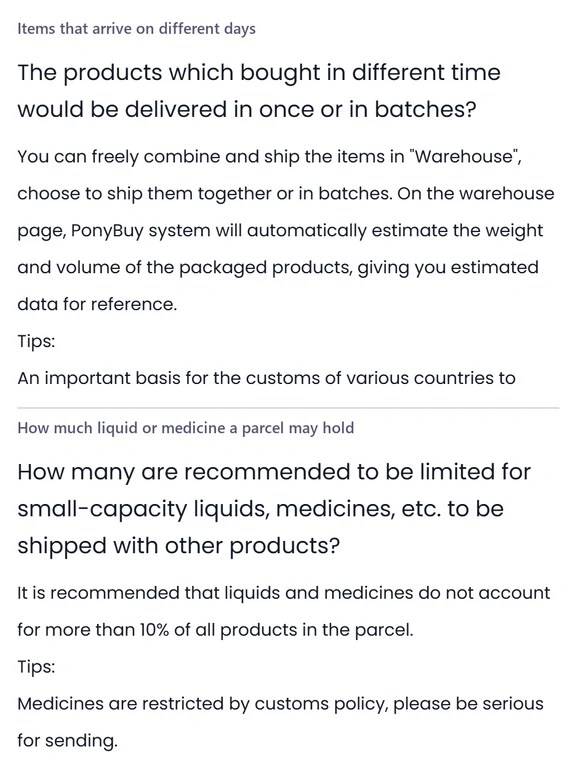
Keep liquids and medicines to a fraction
Its recommendation is that liquids and medicines stay under a tenth of the products in the parcel, and it singles out medicines as restricted by customs policy in their own right.
The two declaration modes, and what makes one unreasonable
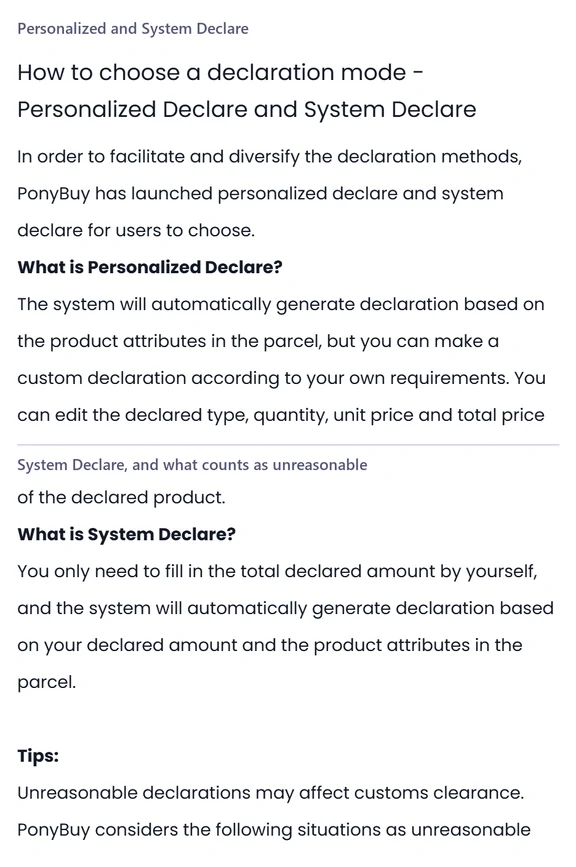
Every parcel leaving China carries a declaration, and PonyBuy gives you two ways to produce one. Personalized Declare generates a declaration from the attributes of what is in the box and then lets you edit it: the declared type, the quantity, the unit price and the total. System Declare asks you for one number, the total declared amount, and builds the rest around it.
Then it does something more useful than most operators bother with. It states that how you declare is up to you as long as the declaration is reasonable, and then defines unreasonable with three worked situations. One is a price that cannot belong to the item, such as three pairs of shoes declared at the price of a sandwich. One is an item that cannot belong to the weight, such as a ten kilogram parcel declared as a ring. The third is the opposite mistake: a declared value several times the real value of the parcel.
It also says plainly that an unreasonable declaration may affect clearance. Everything in that paragraph is worth reading in the original wording, because the consequences land on you rather than on the agent.
The reform that ended the small parcel exemption
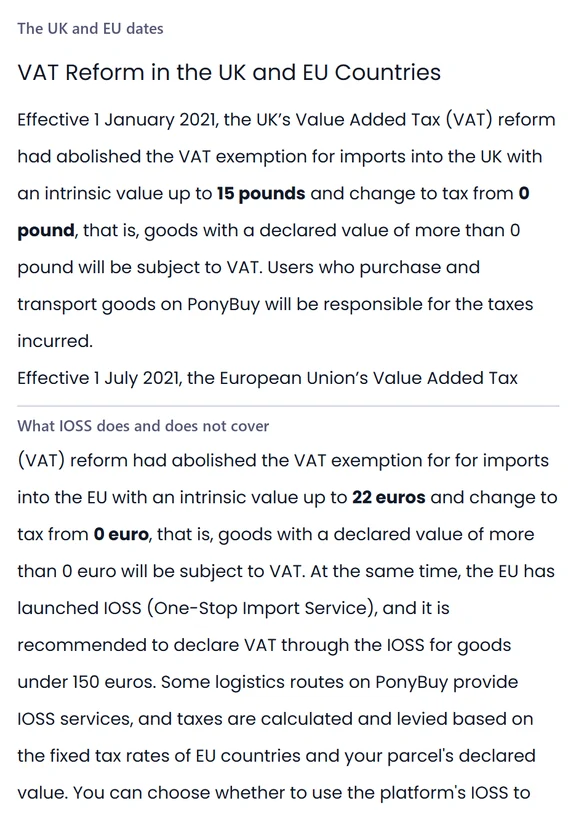
Two dates changed what arriving in Europe costs. PonyBuy publishes both. The United Kingdom abolished its import VAT exemption on the first of January in twenty twenty one, and the European Union abolished its own on the first of July that year. In both cases the threshold did not move down, it went to zero: a declared value above nothing is taxable. PonyBuy states that the taxes are the responsibility of the person buying and shipping.
Alongside that the EU launched IOSS, its one stop import scheme, and PonyBuy recommends declaring through it for goods under 150 euros. Some of its routes carry the service and some do not. Where it is available, the tax is worked out from the fixed rate of the destination country and your declared value, and you choose whether to let the platform pay it on your behalf.
The conditions attached are the part worth knowing before you pick. An IOSS parcel cannot have its total declared value changed after submission, so fixing a mistake means cancelling and submitting again. The declared value has a floor of thirty percent of the value of the goods and a ceiling that depends on the route. PonyBuy says the scheme speeds the collection process without guaranteeing faster clearance, that paying through it does not guarantee local customs will not tax the parcel a second time, and that if that happens you should clear and pay locally and then come back with the tax bill and proof of payment for a refund. It also says, in the article itself, that it cannot give you the IOSS number it used.
Which routes carry the service, as the operator lists them
The list of routes with IOSS is published as a table, and it is the clearest thing in that part of the help centre. Four columns: the route, whether the service is offered, who pays the tax and how, and a note that is really a ceiling on what you may declare.
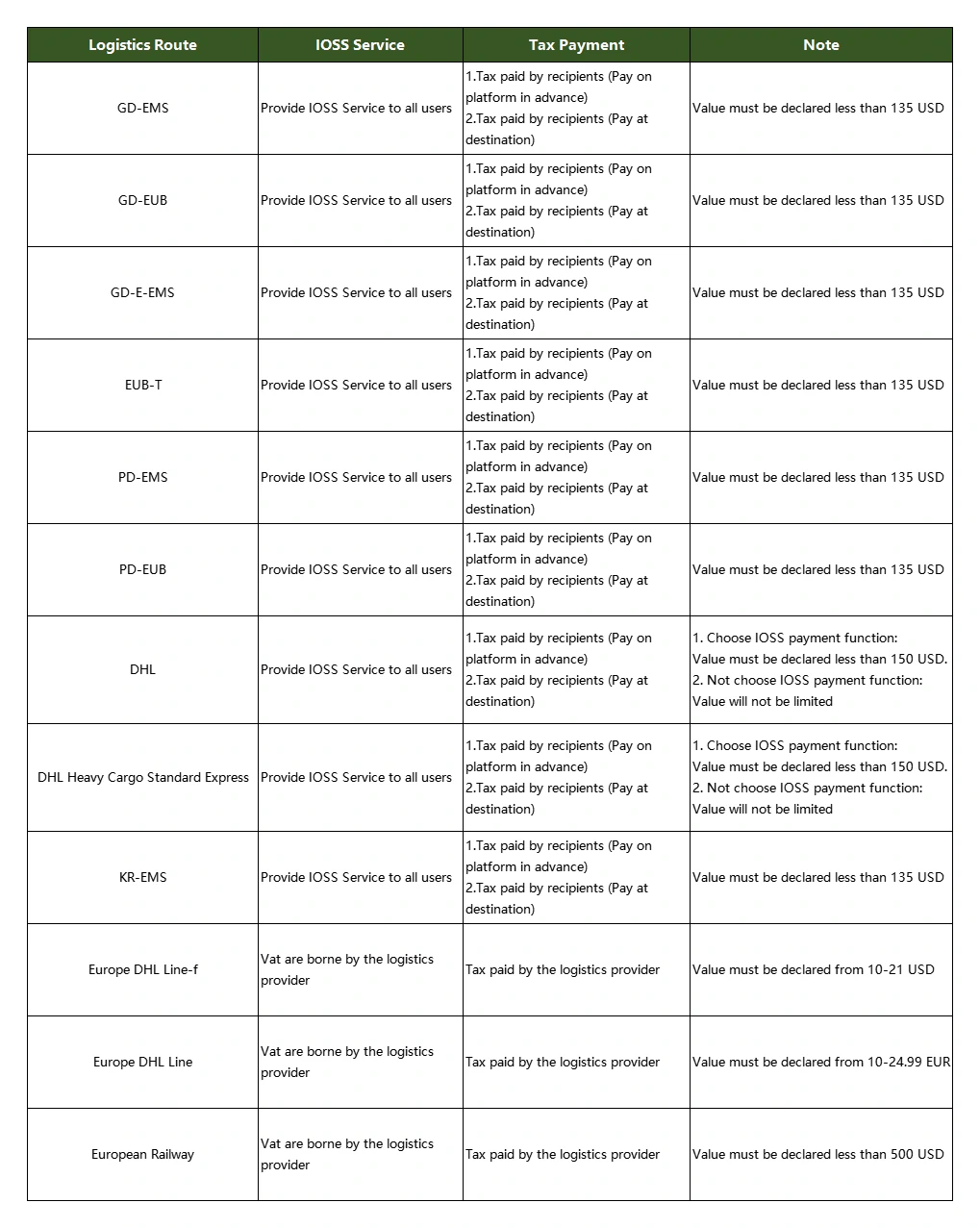
Two things fall out of reading it rather than being told about it. The first is that the declared value ceiling is not one number: most of the named routes carry the same limit, the two DHL rows raise it but only if you use the IOSS payment function, and the three routes at the bottom sit somewhere else entirely. The second is that on those bottom three the tax is not yours to pay at all, because the carrier absorbs it, which is a different arrangement wearing the same label. Check the current table on the operator site before you commit to a route, because this one was read on the date in the footer.
Where the customs risk sits once the box leaves
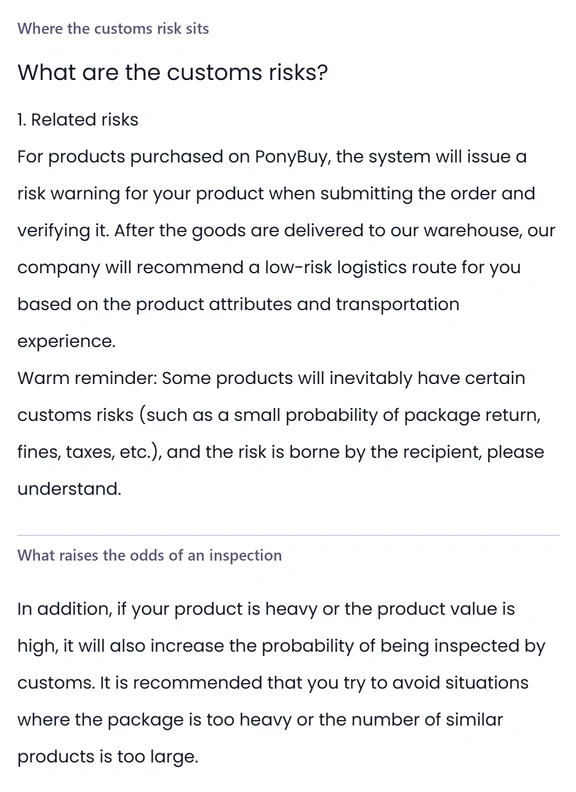
PonyBuy answers this directly and the answer is not flattering to anybody, so it is worth quoting in shape. It says it issues a risk warning on your product when the order is submitted and verified, and that once the goods are in its warehouse it recommends a lower risk route based on the attributes of the product and its own transport experience. That is the whole of what it undertakes.
Then the sentence people skip. Some products carry customs risk regardless, which it lists as a small probability of the parcel being returned, of fines, and of tax. And that risk is borne by the recipient. There is no version of this arrangement in which a browsing wall, an agent or a carrier absorbs a customs decision for you.
On what raises the odds, it names two things and both are within your control at the moment you choose what goes in the box: weight and value. A heavy parcel or a high value one is more likely to be opened, and it repeats the advice about avoiding large quantities of similar products. The article is short.
When the route list comes back empty
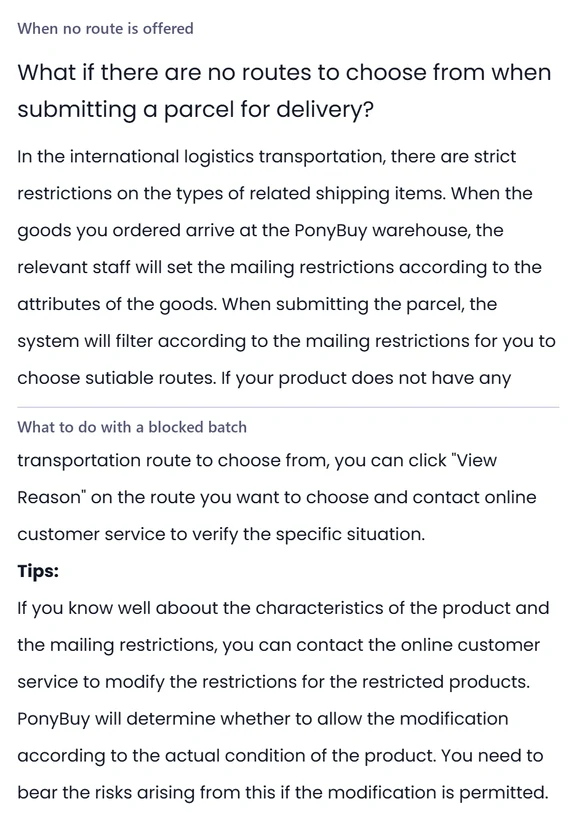
This is the most alarming thing the interface does and the most routine. The route list is filtered against the mailing restrictions the inspectors set on each item, so an empty list is usually a statement about one item rather than about your parcel.
Look again at what you selected
The filter runs on the selection. If one restricted item is in it, the list can come back empty for the whole thing.
Use View Reason on the route you wanted
PonyBuy puts the explanation behind that link, on the route rather than on the item. It is the only place the reason is written down.
Take the reason to online support
Its own instruction is to contact the online service to verify the specific situation once you have it.
Ask for the restriction to be changed, but read the clause
PonyBuy says a restriction can be modified if you know the characteristics of the product, that it decides case by case, and that any risk arising from a modification it permits is yours. That last clause is the whole of the trade.
Or simply leave that item behind
Because the filter runs on the selection, taking the blocked item out lets the rest of the batch travel normally. It keeps its own storage clock and can go later, on a route that will have it.
An older article that still names four couriers
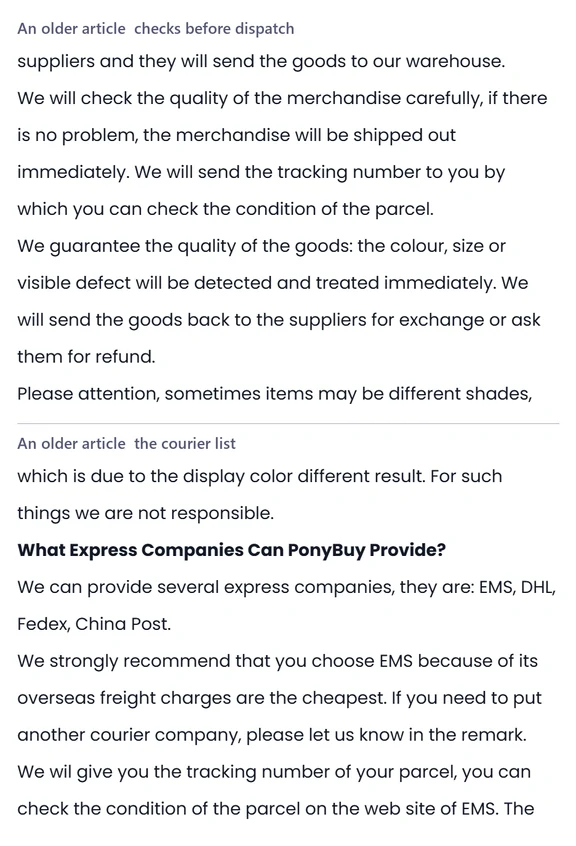
One page in the help centre has not been retired and describes a version of the service that the route table above has replaced. It says you may pick from four express companies and name your choice in the remark, recommends one of them on price, and quotes delivery ranges in weeks. None of that is how a parcel is routed now, and the route table is the evidence: you choose from a filtered list of named routes, not from a list of carriers.
Two things on it have survived intact and are worth carrying away. The first is the pre dispatch check, which it describes in the same terms the current inspection pages use, down to the line about shades looking different on a screen not being anybody fault. The second is the weight logic: the cost follows the weight, the weight is an estimate until the goods are actually in the warehouse, and a significant gap between estimate and reality becomes a conversation rather than a surprise.
Treat the courier list and the price claim as history. The article is still there, and the current pages are the ones to plan against.
Four questions asked with a parcel half submitted
Once the box is moving, what the tracking does and does not show is on the tracking page.
Why is the shipping deposit different from what I end up paying?
Because it is an estimate built before the box existed. PonyBuy calculates the deposit from the estimated weight of your items, the method you picked and the destination. The real figure comes from the size and weight the carrier verifies. PonyBuy says a discrepancy is returned to your PonyBuy account after the parcel ships.
Should I use the platform IOSS or pay the tax at the destination?
Read the conditions before choosing. PonyBuy says an IOSS parcel cannot have its declared value changed after submission, that the declared value has a floor tied to the value of the goods, that IOSS speeds the process without guaranteeing faster clearance, and that it cannot give you the IOSS number it used. It also says paying through IOSS does not guarantee local customs will not tax the parcel again.
Can I declare a lower value to reduce the tax?
PonyBuy says how you declare is up to you as long as the declaration is reasonable, and then defines unreasonable with three situations: a price that does not match the item, a declared item that does not match the weight, and a declared value far above the real one. It also says unreasonable declarations may affect clearance, and that customs risk is carried by the recipient.
The route list is empty. Is my parcel stuck?
Almost never permanently. The list is filtered by the mailing restrictions set on your items, so an empty list usually points at one item rather than the batch. PonyBuy tells you to use View Reason on the route you wanted, then take it to its online support. Removing the blocked item from the selection lets the rest travel.