
Three photographs, a weight, and a shelf with a clock on it
This is the half of the process nobody pictures in advance, and the half where a decision you make in five minutes decides what the parcel costs.
Everything here is the agent side of the arrangement. What a browsing wall can and cannot tell you is on the spreadsheet page.
In this guide
What the quality check actually is
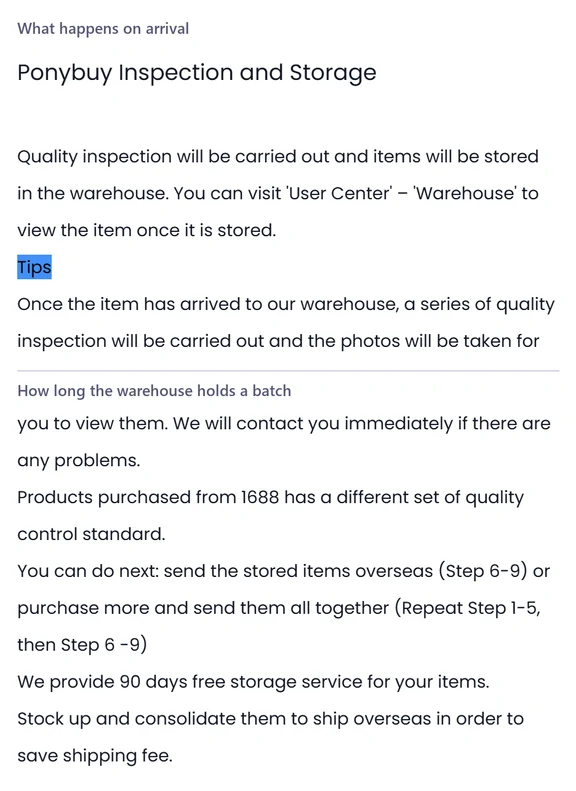
When a seller parcel reaches the warehouse the order turns Received, and that word means less than people assume. PonyBuy says the item is then weighed and inspected before it is confirmed and put away, and only when the status reads Stored does it show up on your warehouse page. The gap between those two words is where most of the panicked support messages live.
The quality control is done by inspectors, on the appearance of the goods, and the QC photos fall out of it. The standard set is three shots from fixed angles, front, back, and the side or the logo, chosen by the warehouse standard for that category rather than by you. PonyBuy says it contacts you immediately if it finds a problem, and that products bought on 1688 are held to a different quality control standard from the rest.
Storage begins at that moment. The free window is long by the standards of this business, and it is the only reason consolidating several purchases into one box is possible at all. It is set out in the arrival and storage article, which is worth reading before you assume the item has to leave immediately.
How to read the QC photos you are sent
PonyBuy is unusually direct about the limits of its own inspection, and the limits are the useful part. Four things are named as outside the scope, and three of the four are exactly what people write in about. Reading the photos well means knowing which column a complaint belongs in before you send it.
| What you are looking at | Did the inspectors check it | What that means for you |
|---|---|---|
| Colour against what you ordered | Yes. Colour is named in the inspection scope | Raise it now, while the item is still on a shelf in China |
| Large area damage or staining | Yes. Both are named explicitly | Raise it now. This is the clearest case there is |
| Size, model and version number | Yes, but judged against the label and the tag | If the tag is right and the garment is not, that falls outside |
| A slight colour difference from the listing photo | No. Colour difference is excluded by name | Not a defect by the published definition. Decide on the photos |
| Loose threads and small finishing faults | No. PonyBuy says it cannot guarantee these | Judge them yourself from the photos before you pay to fly it |
| Whether an electronic item powers on | No. Appearance only, and sealed boxes stay sealed | Ask for extra photographs, then accept that function is untested |
Two consequences are worth carrying. PonyBuy says that where something cannot be verified, it assumes you had already agreed it with the seller. And for electronics it says the inspectors send an arrival picture for you to confirm, which is your one chance to say no before the item is stored. The full wording is in the inspection scope article.
Turning a shelf full of orders into one parcel
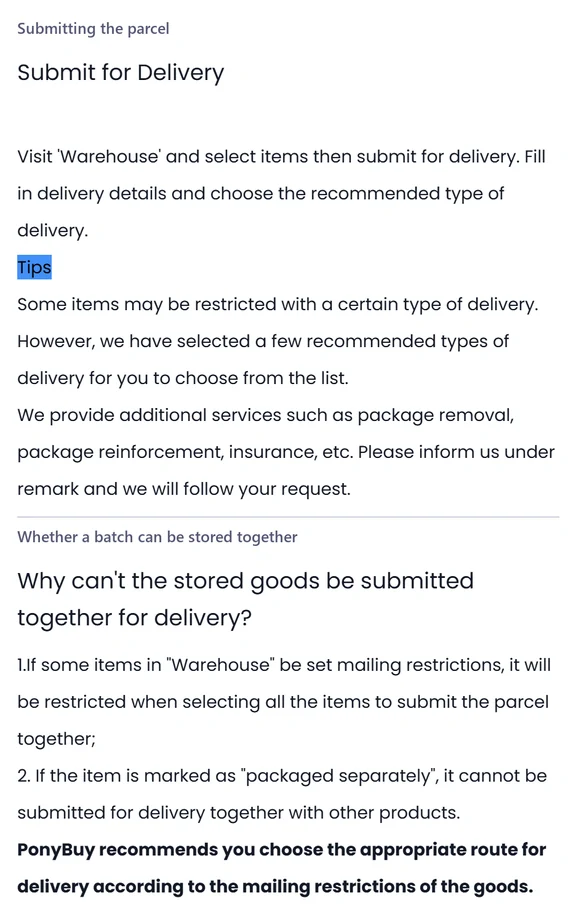
Nothing leaves China on its own. You go to the warehouse page, choose what goes in the box, and that choice is the whole of what people mean when they talk about a batch.
Pick the items
Everything stored under your account sits on one page. Select the ones that should travel together. Anything you leave behind keeps its own storage clock running.
Fill in the delivery details
Destination and address, then the route. PonyBuy says it narrows the route list rather than showing you every option, because some of what you selected cannot legally travel on all of them.
Ask for whatever the parcel needs
Removing original packaging, reinforcing the box, insurance. PonyBuy says these go in the remark and that it follows what you write there. The remark is the only place these requests exist.
Find out whether it can go as one parcel
If an item carries a mailing restriction, selecting everything at once can be refused. If an item is flagged for separate packaging, it cannot travel with the others at all, and you submit it on its own.
Why one item can hold up the whole box
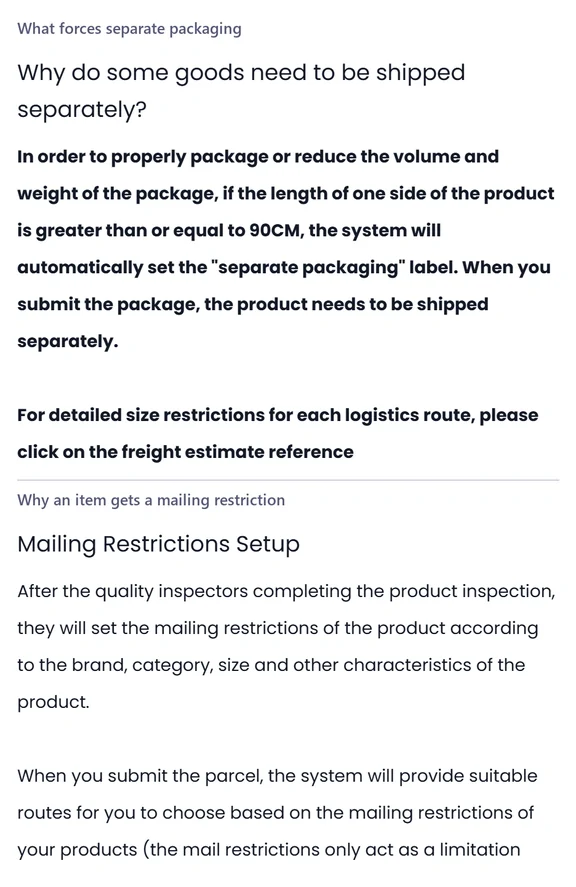
Two labels get attached at the warehouse and both are invisible until you try to submit. Neither is a punishment. They exist because the box has to satisfy a carrier, and the carrier does not care that the items arrived separately.
The first is separate packaging, and it is automatic rather than a judgement. PonyBuy says that when one side of a product measures ninety centimetres or more the system applies the label itself, in order to pack the thing properly or to keep the volume down. An item carrying it ships alone. The per route size limits sit in the freight estimate rather than in the article.
The second is the mailing restriction, and it is set by the quality inspectors after they have looked at the item, on the basis of brand, category and size. PonyBuy is careful about what that restriction does: it limits what you can select when you submit a parcel, so that the routes you are offered are ones the item can actually travel on. Its stated purpose is to reduce shipping risk rather than to block you, and the article is short enough to read in full.
What else the warehouse will do if you ask
There is a published list of things the warehouse does on request rather than by default. None of it is necessary, and two items on it save real money by telling you what the parcel weighs before you commit to a route.
| What you can ask for | What the warehouse does | When to ask for it |
|---|---|---|
| A rehearsal pack and weigh | Packs the batch, weighs it, and tells you the result | Before submitting, when the shipping estimate matters more than a day |
| A photograph of the parcel | One shot before the box is sealed and one after | At submission, if you want to see the box that actually leaves |
| Extra photographs of a detail | A photographer takes the angles and measurements you describe | Either when you place the order or once the item is stored |
| A longer stay on the shelf | Extends the storage window, up to a published ceiling | Only inside a defined band near the end of the free window |
| Assembly, consolidation or a custom bag | Handled as a customised warehousing request | At submission, described in the remark |
| Your own logo on the outside of the box | Staff apply stickers that you supplied yourself | Only after the physical stickers have reached the warehouse |
All of these are charged, in Chinese Yuan, and the rates live in the operator help centre rather than on this site. Read the last row carefully before using it: PonyBuy states that any delivery, customs, infringement or other legal risk arising from a logo you supplied is yours. The value added services table lists the rest.
Four questions from the days on the shelf
What happens after the box is sealed is on the shipping page. The rest of the common questions are collected on the questions page.
The order says Received but nothing is on my warehouse page. Where is it?
It is in the building and not yet on a shelf. PonyBuy says Received means the item arrived, and that weighing and inspection come next. Only when the status reads Stored does the item appear on the warehouse page and become something you can put in a parcel.
Can I ask for a better photograph of one detail?
Yes, and PonyBuy sells it as a service rather than doing it on request. You describe the angle, the close up or the measurement you want, and a photographer takes it. There is a cap on how many you can order for one item, and if the item is already stored you have to quote its number. If the result misses what you asked for, you can ask again.
The item looks fine but my order has been marked. What does that mean?
PonyBuy marks an order when what arrived does not meet the transport conditions for the routes you might want. The mark is a prompt to consider the return service rather than a fault report, and it is better to deal with it while the item is still on a shelf in China.
Can I keep things in the warehouse past the free window?
Only inside a specific band near the end of it, and only as a paid extension with a ceiling of several months. PonyBuy publishes both the band and the ceiling. Leave it past everything and the status turns to Expired, at which point the item stops being yours.